
A new thermostat is one of the cheapest upgrades that actually lowers your energy bills — and installing it yourself takes most homeowners under an hour. Whether you’re swapping a 20-year-old manual dial for a programmable model or jumping to a smart thermostat that learns your schedule, this thermostat installation guide walks you through every step: choosing the right model, shutting off power safely, labeling wires, mounting the new unit, and testing it. No electrician required for most homes, though we’ll flag the cases where you should call one.
Pick the Right Thermostat for Your Home
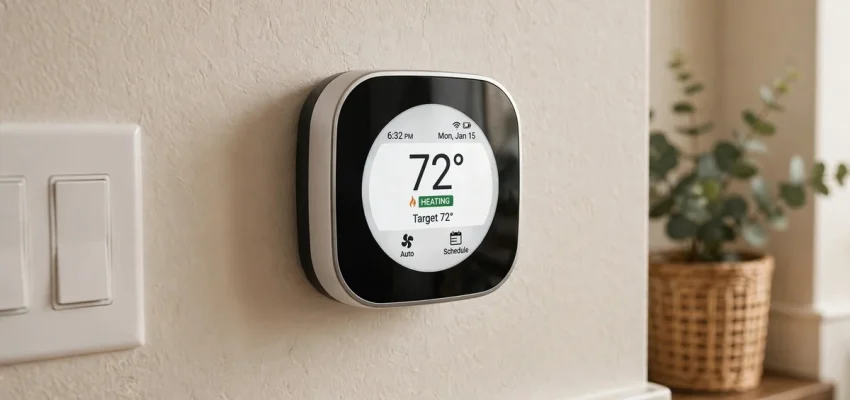
Thermostats come in three flavors. Manual thermostats ($20–$50) are simple dials — cheap, but they can’t save energy automatically. Programmable thermostats ($50–$150) follow a set schedule, cutting heating and cooling while you’re asleep or away. Smart thermostats ($130–$300) learn your habits, adjust from your phone, and give you energy reports — the EPA estimates they save about 8% on heating and cooling bills. Check compatibility first: most models work with forced-air systems, but heat pumps, multi-stage systems, and homes without a C-wire need specific models.
Smart vs Programmable: Which Pays Off?
If your schedule is predictable, a programmable model saves nearly as much as a smart one for half the price. If your routine varies — or you want remote control and energy reports — go smart. Either way, smart thermostats can genuinely cut your energy bills, and pairing one with smart switches around the house builds a simple smart home without rewiring everything.
Thermostat Installation Guide: Tools and Safety Steps
You need a screwdriver, a phone camera, painter’s tape and a pen for labeling wires, and optionally a small level and a drill. The critical safety step: turn off power to your HVAC system at the breaker box — not just at the thermostat. Thermostat wires are low-voltage (24V), but the furnace and air handler they connect to are not. After flipping the breaker, try turning the heat on at the old thermostat; if nothing happens, power is truly off. If your breaker panel is old or confusing, an electrical panel upgrade might be overdue anyway — and know how to handle a tripped breaker safely before you start.
What You’ll Need Before You Start
Besides tools, snap a clear photo of the old wiring before touching anything — it’s your backup if labels fall off. Check for a C-wire (usually blue or black, connected to the “C” terminal): smart thermostats need constant power, and a missing C-wire is the number one reason DIY installs stall. Many smart models include a C-wire adapter kit that solves this without running new wiring.
Step-by-Step Thermostat Installation
Remove the old thermostat’s faceplate, label each wire with tape marked by its terminal letter (R, W, Y, G, C), then disconnect the wires and unscrew the old wall plate. Patch and paint if needed, then screw the new mounting plate level to the wall. Connect each labeled wire to the matching terminal on the new base — push-in terminals just need the bare wire end inserted firmly. Attach the faceplate, restore power at the breaker, and follow the on-screen setup: Wi-Fi, schedule, and system type (furnace, heat pump, etc.).
Thermostat Installation Guide: Wiring Tips That Prevent Callbacks
Never let a loose wire fall back into the wall — wrap wires around a pencil while you work. Match letters exactly: R to R, W to W, and so on. If you have both Rc and Rh wires, check the manual — most new thermostats use a jumper instead. After power-up, test heating, cooling, and fan modes separately and listen for normal startup. If the system short-cycles or won’t start, power down and recheck each connection before assuming the thermostat is defective.
Installing a Smart Thermostat: Extra Steps
Smart models add app setup: download the manufacturer’s app, create an account, and connect the thermostat to your 2.4 GHz Wi-Fi network (most don’t support 5 GHz). Enable geofencing so the system eases off when you leave, and set an eco-friendly schedule as a starting point. Connect it to Alexa, Google Home, or Apple HomeKit if you use them. Expect learning models to take a week or two to dial in your preferences — don’t judge the comfort on day one.
Take ten minutes to set temperature setbacks for sleep and away hours — that’s where most of the 8% savings actually come from, not from the learning algorithm alone.
Do You Need a C-Wire?
Most smart thermostats need a C-wire for constant power. Peek behind your old thermostat: no wire on the “C” terminal means you’ll use the included power adapter kit (about 20 extra minutes) or have an electrician run a new wire ($100–$250). When in doubt, a qualified HVAC contractor can confirm compatibility in minutes during a routine service visit.
Common Mistakes That Cause Problems
The classic errors: forgetting to kill power at the breaker, mislabeling wires, mounting the thermostat in direct sunlight or above a heat vent (it will read the room wrong), and skipping the system-type setting for heat pumps. Another frequent one: tossing an old mercury thermostat in the trash — mercury models are hazardous waste, so drop them at a local recycling center or hardware store take-back program instead.
Finally, don’t skip the setup wizard’s equipment test: run heating and cooling for a few minutes each to confirm everything works while the return window is still open.
When to Call an Electrician Instead
Call a pro if you find line-voltage wiring (thick wires, wire nuts, a 120V/240V label — common with electric baseboard heat), if there’s no C-wire and you’re uncomfortable with the adapter kit, or if your system is high-voltage or commercial. Also call one if the breaker panel looks damaged or you smell burning. Typical HVAC repair costs are far cheaper than fixing a fried control board.
What Thermostat Installation Costs in 2026
DIY costs just the thermostat itself: $20–$50 manual, $50–$150 programmable, $130–$300 smart. Professional installation adds $75–$250 in labor, with smart thermostats at the higher end. Many utilities offer $50–$150 rebates on ENERGY STAR smart thermostats, which can make a pro-installed smart model nearly free after rebate. Considering the roughly 8% annual energy savings, most smart thermostats pay for themselves within two years.
How to Save Money on the Upgrade
Buy during fall sales events, check your utility’s rebate page before purchasing (some require specific models), and bundle the install with seasonal HVAC maintenance to save on the service call. If you’re replacing aging equipment too, compare AC replacement costs — a new high-efficiency system plus a smart thermostat is the biggest comfort upgrade most homes can make. And don’t forget everyday habits that lower your heating bill once the new thermostat is in.
Thermostat Placement: Location Matters More Than You Think
Even a perfect installation fails if the thermostat sits in the wrong spot. Thermostats belong on an interior wall in a frequently used room — ideally a central hallway near the return-air grille — about five feet off the floor, away from direct sunlight, drafts, doorways, kitchens, fireplaces, and heating vents. A thermostat baking above a sunny window or shivering next to a drafty door reads the room wrong and short-cycles your system, wasting energy and wearing out equipment years early. If your current thermostat is badly placed, moving it during replacement is smart: an electrician charges $100–$250 to relocate one, and the comfort improvement is immediate and permanent.
What If Your Thermostat Is in a Bad Spot?
For a DIY workaround, remote room sensors (sold by most smart thermostat brands for $40–$80 each) let the system average temperatures across rooms — or prioritize the bedroom at night and the living room by day — with no rewiring needed. It’s the cheapest fix for the classic American problem of a thermostat in a freezing hallway while the bedrooms roast. Just keep sensors away from the same heat sources and drafts you’d avoid for the thermostat itself.
Thermostat Installation Guide: Frequently Asked Questions
Can I install a thermostat myself?
Yes, for standard 24V systems — it’s one of the easiest DIY electrical projects in the home. If you have line-voltage baseboard heat or feel unsure about wiring, hire an electrician.
What if my home has no C-wire?
Use the manufacturer’s C-wire adapter kit (included with most smart models), choose a thermostat designed to work without one, or have an electrician run a new wire for $100–$250.
Will a smart thermostat work with my old furnace?
Usually yes, as long as it’s a standard 24V forced-air system. Check the manufacturer’s compatibility checker online and confirm whether you have a heat pump or multi-stage equipment first.
How much can a new thermostat really save?
ENERGY STAR estimates about 8% of heating and cooling costs — roughly $50–$150 per year for a typical American home. Combined with ceiling fans to reduce AC runtime, the savings add up fast. In homes with high energy bills, the payback can be under a single year.
This thermostat installation guide proves the project is very doable: pick a compatible model, kill the power, label every wire, mount it level, and test each mode. In under an hour and for as little as $50 after rebates, you’ll have precise comfort control and lower energy bills for years. And once you see what a smart thermostat can do, don’t stop there — it’s the gateway to a genuinely efficient home. Small device, big payoff — exactly the kind of upgrade smart homeowners love.